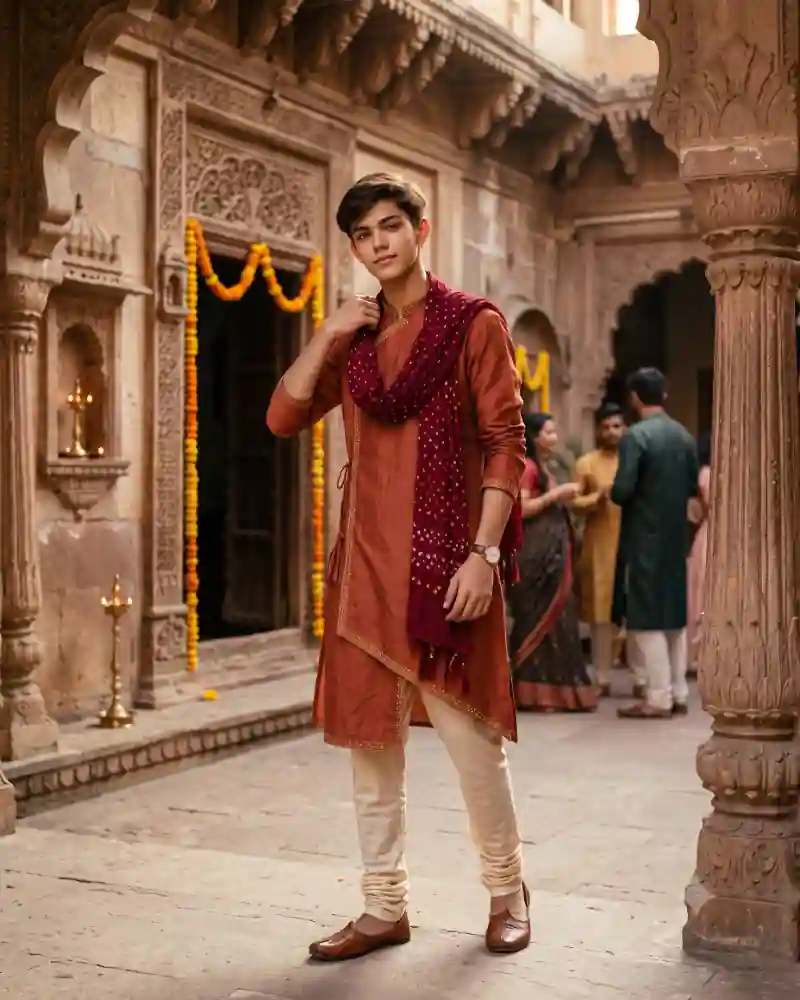
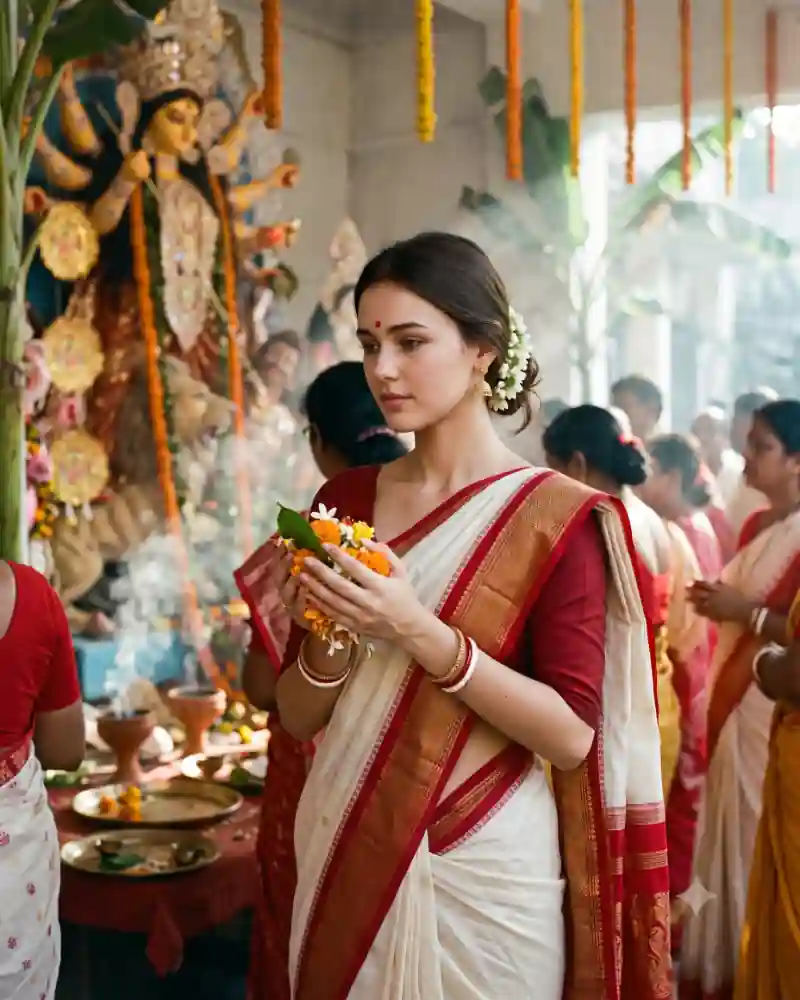
This Navratri look skips the crowded dance floor. Instead, the camera follows a young man through the courtyard of an old sandstone haveli. He wears a rust-colored kurta, cream churidar trousers and a maroon dupatta, with carved arches rising around him. The scene is festive but restrained. A brass lamp sits near a doorway, a few marigold garlands add color, and the soft afternoon light brings out the texture of the stone. It is a good option when you want a traditional outfit portrait that feels like an actual location shoot. The main prompt helps you recreate the clothing, architecture and natural pose with a reference photograph.
Inside This Navratri Haveli Kurta Portrait Photo
Warm rust fabric works against the pale stone walls without being too close in color. A fine gold edge on the kurta adds detail, and the cream churidar gives the lower half a clean finish. The maroon dupatta is draped rather than tied. One hand reaches toward it near the shoulder, creating a natural reason for the raised arm. Brown footwear and a simple watch keep the styling grounded. Behind the subject, carved doorframes and a stone pillar provide strong architectural lines. The marigolds and lamps are present, but the setting still looks like a lived-in heritage courtyard rather than a fully decorated wedding stage.
Why This Particular Festival Look Works
A location-led portrait can feel elegant without expensive-looking effects. Here, the carvings provide texture and the clothing supplies color. The pose is also easy to read. One hand is occupied adjusting the dupatta; the other rests at his side. There are fewer crossed limbs and held objects for an AI editor to interpret.
How to Create This AI Photo With Your Own Picture
Step 1: Choose a clear reference photograph
Use a well-lit picture with a clearly visible face. Avoid strong beauty filters that hide natural features. If someone else appears in the reference, make sure you have permission to use their photo. The carved stone architecture is part of the look, so include a little doorway and pillar in the frame.
Step 2: Open a compatible AI image editor
Try an editor that supports image generation or editing with uploaded photos, such as compatible versions of ChatGPT or Gemini. Tool features, availability and the way they interpret instructions can vary.
Step 3: Paste the main prompt from this page
Copy the full AI prompt from its separate prompt field. Keep the outfit, pose and setting instructions if you want to match the example, or edit only the details you want to change.
Step 4: Generate and inspect the first result
Check facial likeness, natural skin tones, hands, proportions, fabric edges, and the objects in the scene. A successful background cannot make up for an obviously incorrect hand or face. Keep the scarf on one shoulder rather than adding several unrelated fabric layers.
Step 5: Correct only what needs correcting
Instead of completely rewriting a prompt, request one focused adjustment at a time. Ask the tool to preserve the details that already work while fixing an awkward pose, clothing fold or background element.
Step 6: Export for where you will use it
Save the best quality available. A vertical 4:5 crop suits many photo posts, while 9:16 can work for Stories. Leave space around important details before choosing a tighter crop.
Pro Tips for a More Realistic Result
Give the dupatta a natural weight
Let the maroon scarf fall over one shoulder with visible folds. It should not float away from the neck or appear as a second jacket.
Protect the stone carvings
Architectural patterns should repeat logically along columns and doorframes. Ask for realistic carved sandstone rather than impossible ornamental shapes.
Use daylight, not colored spotlights
A soft afternoon look is central to this photo. Keep the lighting neutral enough that rust fabric and skin tones remain distinct.
Keep the outfit fitted comfortably
The kurta should hang straight and the cream churidar should gather naturally near the ankles. Overly tight or exaggerated tailoring changes the look.
Include subtle festival clues
A couple of marigold garlands and brass lamps signal a celebration. Too many decorations can hide the carved architecture.
Choose a full-length crop
The image works best when viewers can see the kurta, trousers and footwear along with the doorway. Leave room around the pillars.
Explore More AI Photo Editing Ideas
Looking for other festival scenes, portraits and editing styles? Browse the curated AI prompt library to see more sample images and find a prompt that matches the photograph you want to create. If you are learning how to write better instructions or correct image details, the AI photo editing guides and tutorials cover practical ideas beyond this single picture. Want to edit a photograph with two people rather than a solo portrait? Explore the couple photo prompt collection for shared poses, traditional clothing and different backgrounds.
Frequently Asked Questions
Is this prompt only for Navratri?
It can work for other traditional celebrations too. The clothing and heritage setting are versatile; the festival decorations can be adjusted.
Can I change the rust kurta to black or cream?
Yes. Choose a color that contrasts with the sandstone so the subject does not blend into the background.
Do I need a real haveli photograph?
No, if your editor can create a background from a prompt. A real location reference can help if the tool supports multiple images.
Why does the dupatta sometimes look like an extra sleeve?
Layered fabric near an arm can confuse image generators. Ask for a single maroon scarf draped across the neck and shoulder, separate from the kurta sleeves.
Can I use this AI photo prompt in Gemini or ChatGPT?
You can try it in a compatible version of Gemini or ChatGPT that supports image generation or editing with reference photographs. Upload your image, paste the main prompt, then review the result. Available features and output quality may differ.
How do I keep my face recognizable in the new image?
Use a clear reference photograph and ask the editor to preserve recognizable facial features, natural complexion and hairstyle. Review the generated picture against your original and request corrections when necessary. Exact facial preservation is not guaranteed.
Final Thoughts
The best part of this haveli portrait is its simplicity: one outfit, one natural gesture and a location with plenty of character. If the carved walls, scarf folds and daylight feel believable, the picture does not need extra cinematic effects to stand out.