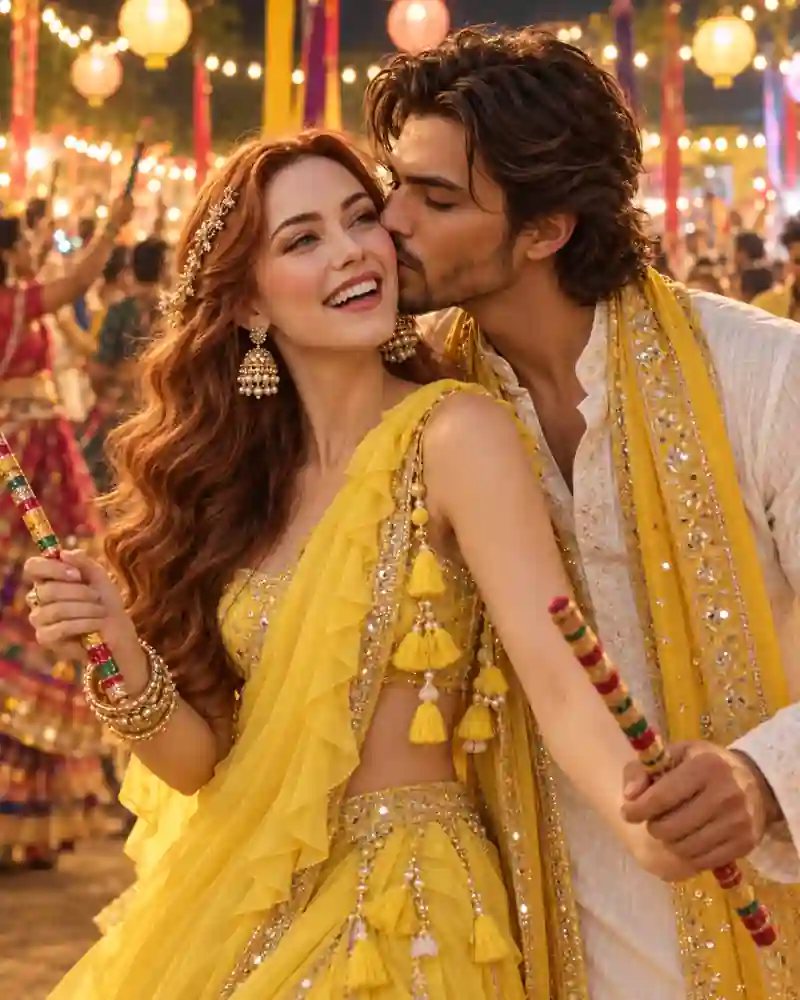
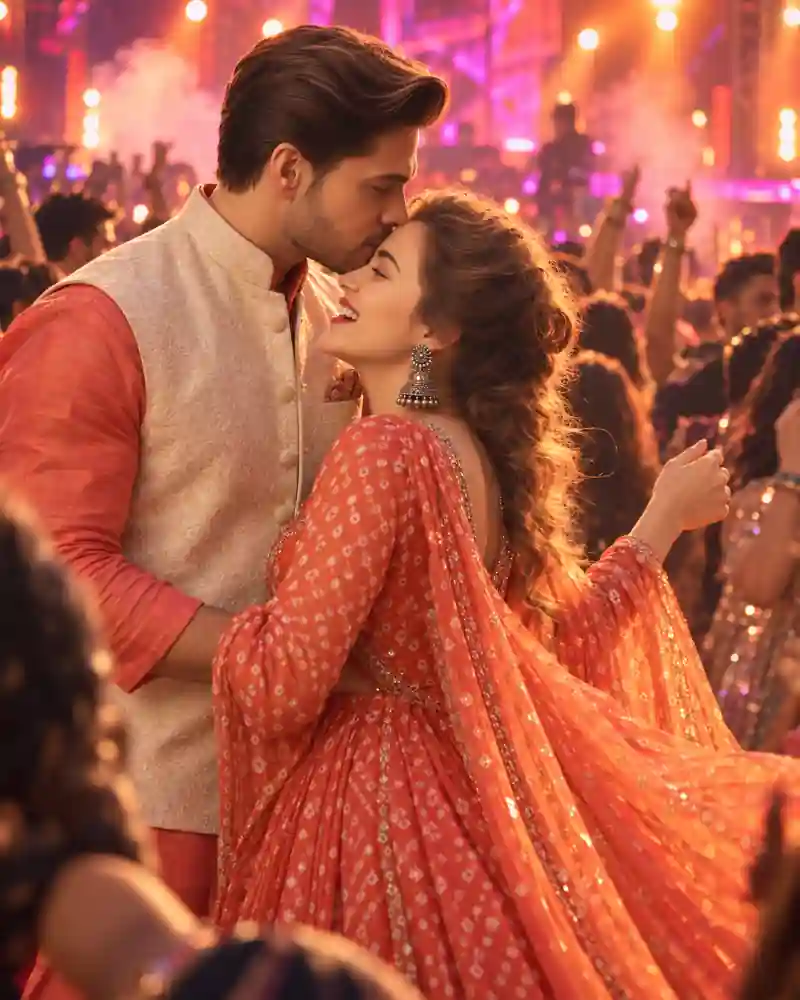
Romantic Dandiya Night Couple AI Photo Prompt captures a happy little moment at a Navratri celebration. The woman is laughing in a bright yellow lehenga while her partner gives her a gentle kiss on the cheek. Both are holding decorated dandiya sticks, with glowing lanterns, festive lights, and a busy dance floor behind them. What makes this picture so charming is how spontaneous it feels. The couple isn't standing still for a formal portrait. They seem to be enjoying themselves between dance rounds, surrounded by the colors and excitement of Dandiya night. If you'd like to try a similar look with your partner, use the main AI photo prompt on this page with your reference pictures. The yellow outfits, playful expressions, and warm festival lighting give the portrait its own personality.
A Cheerful Dandiya Night Portrait in Yellow
The sunshine-yellow lehenga immediately catches your attention. The woman wears a beautifully embroidered yellow outfit with delicate gold detailing and mirror-work accents. Her matching dupatta falls softly around her shoulders, while traditional gold earrings, stacked bangles, and small hair accessories complete the festive look. Her partner wears an ivory embroidered kurta with a golden-yellow stole. The combination feels coordinated without both people wearing the same color from head to toe. The pose is simple but full of expression. As the woman turns slightly toward the camera and smiles, her partner leans toward her cheek. Their decorated dandiya sticks remain visible in the foreground, keeping the picture connected to the celebration. In the background, strings of warm lights hang above the dance area. Lanterns glow overhead, colorful decorations brighten the venue, and distant dancers blend into a soft blur. There is enough detail to recognize the setting as a festive Dandiya night, but the couple remains the clear focus of the picture.
What Makes This Romantic Dandiya Photo Different?
The best part of this photograph is the combination of a lively festival setting and a natural, affectionate expression. Instead of a traditional standing pose, the couple shares a quick moment of happiness while holding their dandiya sticks. The woman's open smile brings energy to the image, while the gentle cheek kiss gives it a warm, personal feel. The bright yellow clothing also makes a difference. Against the amber lights and colorful background, the outfit stands out without looking out of place. This isn't the same kind of portrait as a staged dance pose. The camera feels close to the couple, making their expressions more important than the full festival venue. For a different look where both people face the camera, you can explore the Back-to-Back Garba Couple Pose. That style focuses on traditional Gujarati outfits and a confident standing position, rather than a candid cheek-kiss moment.
How to Create This Romantic Dandiya Couple Photo
You can try this look with an AI image editor that supports uploaded reference photos, such as a compatible version of ChatGPT or Gemini. The steps are straightforward, and you can make small adjustments if the first result doesn't look quite right.
Step 1: Choose Clear Reference Pictures
Start with a clear photo of yourself and your partner. Pictures taken in good lighting are helpful, especially when both faces are easy to recognize. You can also try two separate portraits if your image editor supports multiple reference images. Avoid heavy filters that hide facial details, and make sure you have permission to use the pictures.
Step 2: Upload Both Photos
Open your preferred AI image editor and upload the reference images. If the pictures are separate, identify which person should wear the yellow lehenga and which should wear the ivory kurta. This makes the intended outfit arrangement clearer.
Step 3: Copy the Main AI Prompt
Use the Copy Prompt button provided on this page. Paste the instructions into your image editor. The prompt describes the yellow traditional outfits, gentle cheek-kiss pose, colorful dandiya sticks, and glowing Navratri celebration. You can keep the details as written for a similar result or change the clothing colors to suit your personal style.
Step 4: Generate and Review the Portrait
Once your image is ready, check the expressions, faces, hands, and dandiya sticks. The cheek-kiss pose should look comfortable and natural, with both faces clearly recognizable. Make sure the decorated sticks are held properly and don't overlap the fingers in an unusual way. Look at the lighting too. A warm background is lovely, but the faces shouldn't appear overly orange.
Step 5: Make Small Changes if Needed
If something looks wrong, ask the image editor to correct that specific part rather than changing the whole picture. For example, you could request a more natural cheek-kiss angle while keeping the clothing, background, and facial features consistent. When you're satisfied, save the picture in the best resolution available from your chosen image editor.
Pro Tips for a Natural Dandiya Night Couple Photo
Keep the Cheek-Kiss Pose Comfortable
The pose should feel like a quick moment between dance rounds, not a complicated photoshoot. Ask for the woman's face to remain clearly visible while her partner leans in gently from the side. Relaxed shoulders and natural expressions help the image look believable. If the heads overlap awkwardly, request a little more space between the faces without changing the overall composition.
Let the Yellow Lehenga Stand Out
Yellow is the defining color of this picture, so it's worth getting the shade right. A bright sunshine-yellow lehenga works well with the warm lights, but the embroidery should still be visible. Ask for clear gold threadwork, realistic mirror-work details, and natural fabric folds. If the clothing looks too orange, request a brighter yellow tone while keeping the background lighting warm.
Keep the Dandiya Sticks in Natural Positions
Decorated dandiya sticks are an important part of the festive setting, but AI image editors can sometimes produce unusual hand positions or distorted objects. Check that the fingers are holding the sticks properly and that the colorful patterns remain recognizable. If the sticks are duplicated or joined together, ask for one clearly visible stick in each person's hand.
Balance the Golden Festival Lighting
The lanterns and string lights create the atmosphere of a real Dandiya celebration. However, the lighting should not overwhelm the people in the foreground. Keep the faces naturally illuminated and let the distant bulbs create a soft background glow. A gentle separation between the couple and the background makes the portrait easier to appreciate.
Make the Jewelry and Hair Look Realistic
Gold earrings, bangles, and softly curled hair add character to the woman's festive outfit. Pay attention to the earrings and hair accessories, especially where they overlap with the face. If the image editor creates unusual shapes or extra accessories, ask for simpler, more realistic details. The goal is a natural festive portrait, not an overloaded jewelry display.
Choose a Close Portrait Composition
This scene works especially well as a waist-up photograph because the expressions are the main attraction. Keep enough space around the shoulders and hands to show the dandiya sticks. A vertical 4:5 composition is useful for an Instagram feed post. For a 9:16 Story or phone wallpaper, ask the editor to extend the festival background rather than tightly cropping the couple.
Other Navratri Couple Photo Ideas to Explore
If you like cheerful festive portraits but want more emphasis on dancing, the Romantic Garba Couple AI Photo Prompt features a couple smiling at each other with crossed dandiya sticks under golden lights. For a quieter moment, try the Forehead-to-Forehead Garba Couple Pose. Its navy-blue outfits and soft background lighting create a different mood from this colorful Dandiya night portrait. Each style has a different pose and outfit combination, so you can choose the one that feels closest to the kind of picture you'd like to make.
Frequently Asked Questions
Can I create this romantic Dandiya night photo using Gemini AI?
Yes. You can try the main prompt in a version of Gemini that supports image editing with uploaded reference photographs. Add your pictures, paste the prompt, and review the generated result. Available features and image quality may vary.
Do we need to upload a real cheek-kiss photograph?
No. You can start with ordinary reference portraits if your chosen image editor supports creating a new pose. The AI can attempt to generate the cheek-kiss composition from those pictures, although you may need to refine the positioning.
Can I use two separate photos instead of one couple photo?
Yes. If your editor supports multiple reference images, upload both portraits and clearly identify each person. Clear, well-lit photos are usually more useful than heavily filtered or blurry pictures.
Can I change the yellow lehenga and ivory kurta?
Of course. You can experiment with festive shades such as pink, emerald green, royal blue, or maroon. Keeping the warm lantern lighting and decorated dandiya sticks will help preserve the Dandiya night atmosphere.
How can I keep both faces recognizable?
Use clear reference photos and ask the image editor to preserve each person's recognizable facial features, natural skin tone, and hairstyle. AI tools may still change some details, so compare the result with the original photos and request corrections when needed. Exact facial preservation isn't guaranteed.
What should I do if the dandiya sticks or hands look wrong?
Ask for a simpler hand position with one decorated stick clearly visible in each person's hand. If the rest of the portrait looks good, request a correction to the hands and sticks while keeping the faces, outfits, and lighting consistent.
Final Thoughts
A Dandiya night is full of little moments worth remembering. The music, colorful clothes, glowing decorations, and laughter all become part of the experience. This portrait focuses on one of those happy moments, with bright yellow traditional clothing and a gentle cheek kiss adding a personal touch to the festive setting. Use the main AI prompt with your own pictures, pay attention to the expressions and hand positions, and make small adjustments until the photograph feels natural.