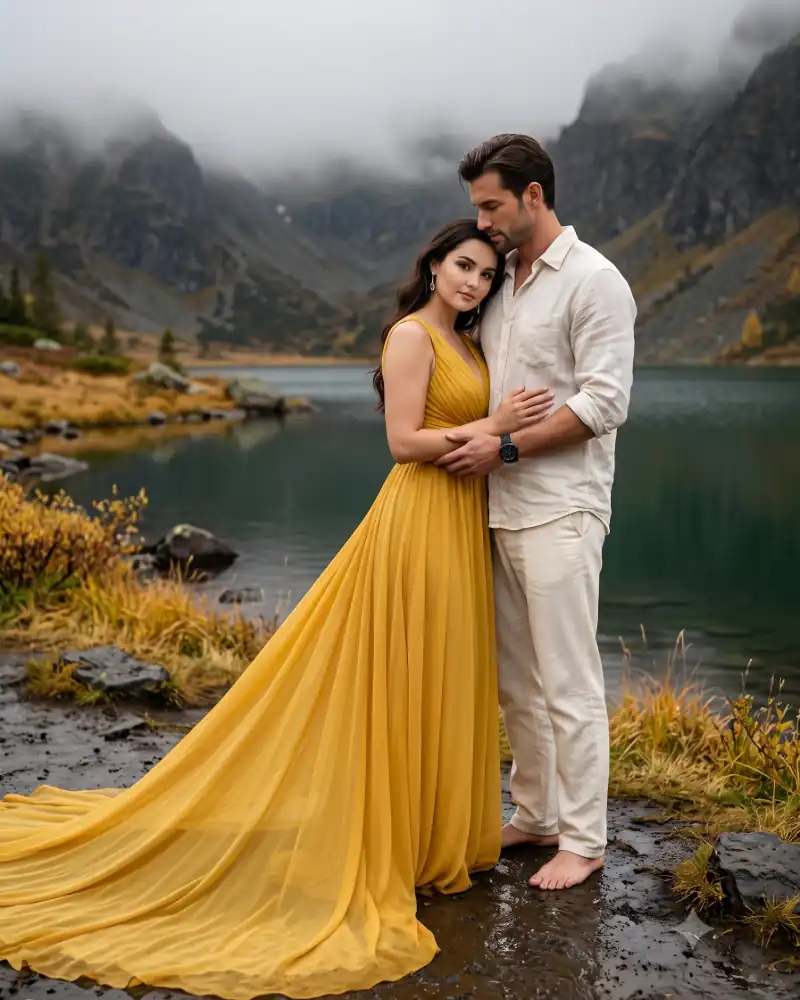
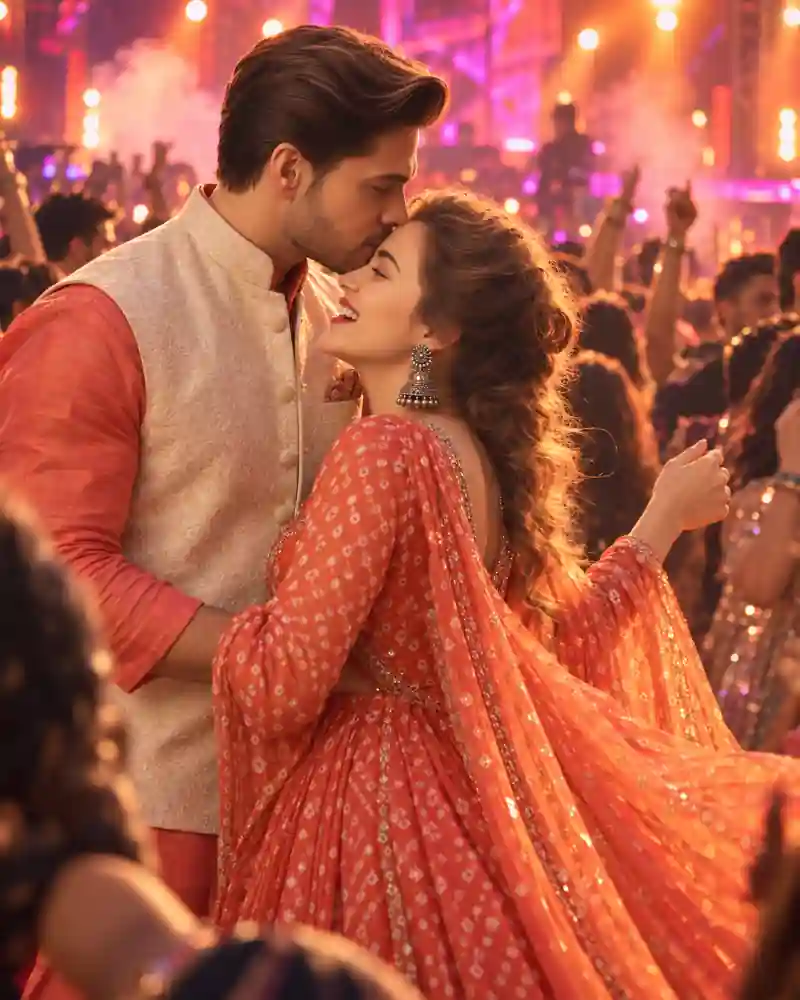
Romantic Couple AI Prompts help turn everyday ideas into memorable portraits, from a quiet beach walk to a rainy evening in the city. With Google Gemini, you can generate a couple scene from text or, if your account supports photo editing, use a reference image. The secret is simple: describe the moment, not just the mood. Good lighting and natural expressions often matter more than dozens of dramatic effects.
Romantic Couple AI Prompts for Realistic Photos
Each example below is ready to customize. For eligible photo edits, add a clear reference image and ask Gemini to keep both people recognizable. Exact facial matches are not guaranteed.
How to Make Gemini Couple Photos Look Natural
Start with one scene and one lighting direction. Ask for realistic skin texture, ordinary gestures, and space around both faces. If a generated image looks too polished, try: "Reduce skin smoothing and dramatic effects; keep the lighting soft and believable."
For Pinterest or Instagram, review the framing before saving. Always get permission before using another person's photo.
How to Use Google Gemini AI
- Open the official Google Gemini AI and sign in.
- Open the Images feature to create a new image.
- Choose one of the romantic couple photo prompts above.
- If your account is eligible for image editing, upload a clear reference photo with the people's permission.
- Paste your prompt and request a vertical 4:5 composition.
- Generate the image, check facial details, lighting and hands, then request specific changes if needed.
- Download the finished image using Gemini's available download option.
Important: Google currently restricts image editing in Gemini Apps to users aged 18 or older. Image generation and editing availability can also depend on account, country and subscription.
Frequently Asked Questions
Q1. How can I create romantic couple pictures using Gemini AI?
Open Gemini's image creation experience and describe two people, their setting, clothing, pose, and lighting. Paste a detailed prompt, then review the result. For accounts eligible for image editing, a reference photo can help guide the look. Image editing availability depends on age, region, and account access.
Q2. Can I use two separate photos to make a Gemini couple portrait?
On eligible image-editing accounts, Gemini supports multiple uploaded reference images. Choose clear, well-lit photos in which both people are easy to recognize, and explain which person belongs in each position. Results can still change facial details, so inspect the image carefully before you share it or use it publicly.
Q3. How do I keep both faces looking natural in AI couple photos?
Use clear references where editing is available, and tell Gemini which features should remain consistent. Describe each person's pose and clothing separately to reduce mix-ups. Ask for natural skin texture, soft lighting, and realistic hands. No prompt can guarantee an exact face match, especially when changing camera angles or poses.
Q4. Are romantic Gemini couple AI prompts free to use?
The prompts on this page are free to copy and adapt. Gemini also provides image generation options, but access, quotas, subscriptions, and editing features can differ by account and location. Google currently restricts image editing in Gemini Apps to users aged 18 or older, so check the official help page before starting.
Q5. What prompt works best for Pinterest-style romantic couple photos?
For a Pinterest-inspired image, focus on a recognizable visual story rather than trendy buzzwords. Try a cozy café, soft window light, coordinated everyday outfits, subtle film grain, and an uncluttered background. Request a vertical 4:5 composition and natural expressions. Adjust the setting or color palette to make the result feel personal.
Pro Tips
Pro Tip 1: Describe the scene clearly
Use a structured description: subject, action, location, clothing, lighting, camera style and aspect ratio. Specific instructions help Gemini interpret the visual you want.
Pro Tip 2: Protect recognizable features
When using eligible photo-editing features, request consistency in facial features, hairstyles, and skin tones. Include a clear reference image, but remember that identity preservation is not guaranteed.
Pro Tip 3: Request believable lighting
Avoid combining contradictory lighting instructions. Choose golden-hour sunlight, soft window light or natural evening streetlights. Request realistic shadows and restrained effects.
Pro Tip 4: Specify the image composition
For a portrait suitable for an Instagram feed, request a 4:5 composition in ordinary language. For vertical story-style images, consider 9:16. Check the actual output because prompts do not always control dimensions precisely.
Pro Tip 5: Refine instead of rewriting everything
If the background looks good but the hands look unnatural, request a correction to the hands. If the image looks too artificial, ask for natural textures and softer contrast. Change one thing at a time where possible.
Explore More Romantic Couple & AI Photo Prompts
Looking for more creative photo ideas? Explore our collection of copy-paste AI photo editing prompts for Google Gemini. From romantic couple portraits and cinematic photography to stylish solo looks, find inspiration for your next AI-generated photo.
- Romantic & Cinematic Couple AI Prompts – Discover beautiful couple poses, romantic scenes, and cinematic photo ideas.
- AI Photo Editing Prompts for Girls – Explore aesthetic portraits, traditional outfits, and trendy photography styles.
- AI Photo Editing Prompts for Boys – Find stylish portraits, cinematic poses, and creative photo editing ideas.
- Explore All AI Image & Video Prompts – Browse more ready-to-use prompts and discover your next creative look.